Checksum mismatch: the 7 usual causes, and when a mismatch means tampering
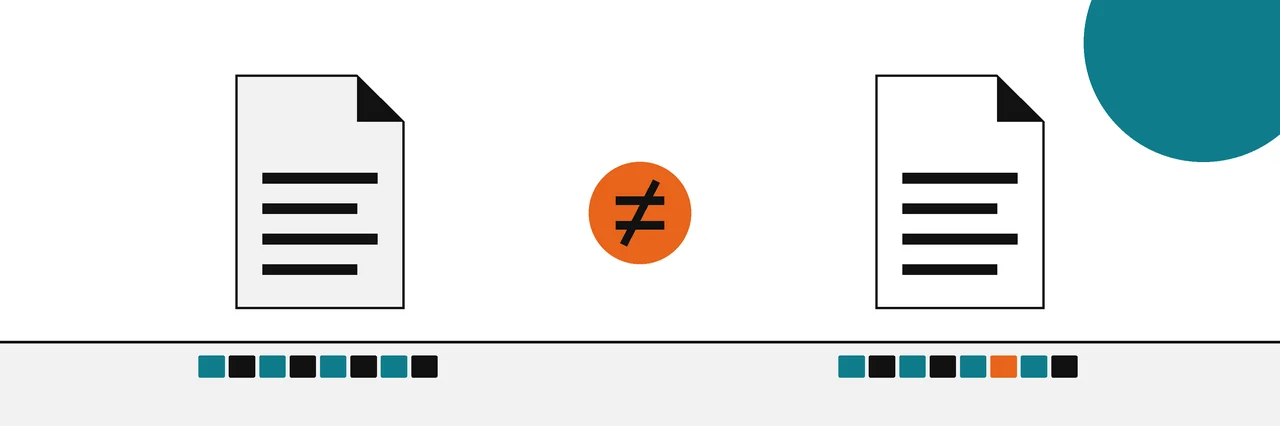
A checksum mismatch means your file is not byte for byte the file the published value describes. Most mismatches are innocent: the wrong algorithm, the wrong file version, an incomplete download or a copy-and-paste slip. If the hash still differs after a clean re-download from the official site, treat the file as possibly tampered with.
A checksum mismatch means the hash you computed is different from the one the publisher lists. Your file is not byte for byte the file that value describes. That much is certain. Why it differs is the real question, and most of the time the answer is mundane.
Work through the causes below in order, from the most common to the least. If you are new to checksums, the checksums guide covers the basics first.
The 7 usual causes
- A different algorithm. You computed SHA-1 or MD5 and the publisher listed SHA-256, or the other way round.
- A different file. A newer release, another edition, or another processor architecture, each with its own hash.
- An incomplete download. The transfer stopped early or the browser saved a partial file.
- A copy-and-paste slip. A missing character, an extra space, or the hash from the wrong line of a checksum file.
- The file changed after it arrived. A sync tool, an editor or a text-mode transfer rewrote part of it.
- A stale published value. The publisher replaced the file but not the hash on the page, or a mirror is out of date.
- Tampering. Someone replaced the file with a different one on the server, the mirror or the network.
The sections below show how to rule each one in or out.
Check you used the same algorithm
This is the most common cause, and the quickest to fix. Count the characters in the published value: 64 means SHA-256, 40 means SHA-1, 32 means MD5.
On a Mac it catches people constantly. The shasum documentation lists SHA-1 as the default algorithm, so shasum without -a 256 gives a 40-character SHA-1. Here is the same file hashed both ways, run on Ubuntu 22.04 with the same shasum script macOS uses:
shasum note.txt
shasum -a 256 note.txt
01ba98b3c90126f14577d5b1fdb1ffe9d3364469  note.txt
1ab1a2bb8502820a83881a5b66910b819121bafe336d76374637aa4ea7ba2616  note.txt
On Windows, Get-FileHash uses SHA256 when you do not pass -Algorithm, according to Microsoft's Get-FileHash reference. If the publisher lists an MD5, you must ask for it by name with -Algorithm MD5. The Windows hash-checking guide has both forms.
Letter case is never the problem. Windows prints the hash in capitals and Linux and macOS in lower case, but they are the same hexadecimal number.
Check you have the right file
Release pages often list several files side by side: installers for different systems, x64 and ARM64 builds, full and minimal images. Each has its own hash. Match the exact file name in your downloads folder against the line you are comparing with.
If the publisher ships a SHA256SUMS file, let the tool pick the right line for you. Put the checksum file next to your download and run sha256sum -c --ignore-missing SHA256SUMS. The GNU Coreutils manual explains that --ignore-missing skips listed files you did not download, so only the file you have is checked.
Re-download and compare
A download that stopped early is a different file, so it has a different hash. Compare the size of your file with the size on the download page first. Here is a 5,000,000-byte test archive that was cut off at 3,145,728 bytes, checked against its published value:
sha256sum -c tool-2.4.zip.sha256
tool-2.4.zip: FAILED
sha256sum: WARNING: 1 computed checksum did NOT match
The command also exits with a nonzero status, which is how scripts notice. Download the file again, ideally straight from the publisher rather than a mirror, and hash the new copy. If the new copy matches, the first download was simply damaged.
Check whether something changed the file
Files can change after they arrive. Cloud sync tools, version control set to convert line endings, and old FTP clients in text mode can all rewrite bytes. Text files are the usual victims. Here is the same one-line note saved with a Unix line ending and with a Windows line ending:
1ab1a2bb8502820a83881a5b66910b819121bafe336d76374637aa4ea7ba2616  note.txt
718b7ea22415ad1c4f6686c8d1a1eaf46d355e859f4bdeacd3077e23f99d3a05  note-crlf.txt
They look identical in an editor, yet the hashes share nothing, because one invisible carriage-return byte differs. Hash the file as you received it, before opening, extracting or syncing it.
When a mismatch means tampering
After you have ruled out the algorithm, the file name, a partial download and local changes, a mismatch on a fresh copy from the official site is serious. It means the file being served is not the file the publisher hashed.
That can still be innocent, such as a publisher who rebuilt a file and forgot to update the page. It can also mean a compromised server, a poisoned mirror or interference on the network. You cannot tell which from the hash alone.
This is where a signed checksum file helps. The Fedora project's verification page has you verify the signature on its checksum file before checking the image against it.
If the signature is good and your file still does not match, you know the published value is genuine and your file is not. If the signature is bad, the checksum file itself has been changed. Either way, do not use the download.
What to do next
- Do not open, run or install the file until the hash matches.
- Delete the mismatched copy so it does not get used by mistake later.
- Download again from the publisher's own site, then follow the full routine in the guide to verifying a download, including the signature.
- Tell the publisher if a fresh official download still does not match a signed checksum. They will want to know, and you may be the first to notice.
The same check for content
The same mismatch logic applies to AI model files, which are large, often mirrored, and sometimes risky to load. A model whose SHA-256 differs from the value on the hub is not the published model. The guide to verifying an AI model download shows where to find the published hash and what to do when it does not match.
Sources
Questions
Does a checksum mismatch always mean malware?+
No, most mismatches come from a wrong algorithm, a different file version or an incomplete download. Rule those out first, and only then treat it as tampering.
Do upper-case and lower-case letters cause a mismatch?+
No. A hash is a hexadecimal number, so ABC123 and abc123 are the same value; Windows prints capitals and Linux and macOS print lower case.
Can I use a file if only a few characters of the hash differ?+
No. Any difference at all means the files differ, and with a good hash even a one-byte change alters nearly every character.
Why does my hash match on one computer but not another?+
Usually because the file was changed in transit between them, for example by a sync tool converting line endings or by a copy that did not finish. Hash the file on both machines and compare sizes.
The publisher's site lists two different hashes. Which is right?+
Check which algorithm and which file each one belongs to. Pages often list a SHA-256 and an MD5, or one hash per edition and architecture.
Related reading
- How-to
How to verify a download
Start here: find the hash, compute yours, compare
- How-to
Check a hash on Windows
Commands that ship with the system, nothing to install
- How-to
Check a hash on a Mac
One line in Terminal, already on every Mac
- Explainer
MD5, SHA-1, SHA-256 compared
Which algorithm to rely on, and for what