Verify a PDF or a screenshot: signatures, hashes and what a screenshot destroys
Tested onUbuntu 22.04, 2026-10-30: pdfsig 22.02.0, sha256sum, ImageMagick identify 6.9.11
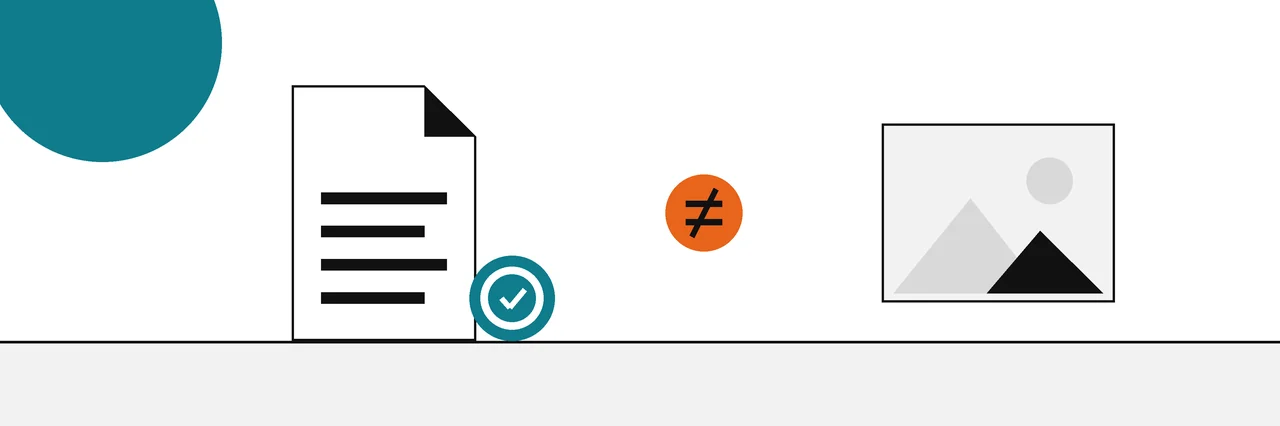
To verify a PDF, open its signature panel and validate each signature, then check whether the file was changed after signing. For a screenshot there is usually nothing to validate, because a screenshot is a new image that drops the original's signature, hashes and metadata. Ask for the original file instead.
A signed PDF can prove a great deal: who signed it, that the signed content has not changed, and sometimes when the signature was made. A screenshot of the same document proves almost none of that. This guide shows how to check the first and explains why the second falls apart.
It is one of our guides to verifying documents, images and text, which rank evidence from strong to weak. If the difference between a hash and a signature is new to you, read our explainer on what a hash proves and what a signature adds first; everything below builds on it.
You need
- The PDF file itself, as received (an attachment or a download, never a print or a re-export).
- Adobe Acrobat or Acrobat Reader on Windows or Mac, or
pdfsigfrom poppler-utils on Linux. - For hashing: PowerShell on Windows, Terminal on a Mac, or a Linux shell.
Validate a signed PDF in Acrobat
Acrobat lists each signature in the Signatures panel. Adobe's help page on validating digital signatures gives these steps:
- Open the PDF and open the Signatures panel.
- Select Options, then Validate Signatures. To check every signature at once, use All tools, then Use a certificate, then Validate all signatures.
- Open the Signature Validation Status dialog for each signature and read the document status, the signer's identity status and any timestamp message.
The timestamp line matters. "Signature is time-stamped" means the signature carries a timestamp from a timestamp authority. Without one, the signing time shown is whatever the signer's computer reported.
Validate a signed PDF on Linux with pdfsig
On Linux, pdfsig from poppler-utils prints every signature and validates it. The run below used a test certificate made for this example, so the certificate check reports an untrusted issuer; the -nssdir option points pdfsig at the certificate database that holds it.
pdfsig -nssdir sql:nssdb invoice-1042-signed.pdf
Digital Signature Info of: invoice-1042-signed.pdf
Signature #1:
  - Signer Certificate Common Name: Example Signer
  - Signer full Distinguished Name: O=Example Co,CN=Example Signer
  - Signing Time: Oct 30 2026 22:59:40
  - Signing Hash Algorithm: SHA-256
  - Signature Type: adbe.pkcs7.detached
  - Signed Ranges: [0 - 2268], [6930 - 7304]
  - Total document signed
  - Signature Validation: Signature is Valid.
  - Certificate Validation: Certificate issuer isn't Trusted.
Three lines carry the answer. "Signature is Valid" means the signed bytes are unchanged. "Total document signed" means nothing was added after signing. The certificate line tells you whether the signer's certificate chains to an authority your system trusts.
Check for changes after signing
A PDF can be changed after it is signed without breaking the signature. New content is written after the signed bytes, so the original signature still checks out for the part it covers. pdfsig reports this on the coverage line, and Acrobat's validation dialog describes the document status for each signature.
Here is the same file with extra bytes appended after signing, and then a copy with a single byte changed inside the signed range:
Digital Signature Info of: after.pdf
  ...
  - Not total document signed
  - Signature Validation: Signature is Valid.

Digital Signature Info of: tampered.pdf
  ...
  - Total document signed
  - Signature Validation: Digest Mismatch.
"Not total document signed" means content was added later, so compare the signed version with the current one. "Digest Mismatch" means the signed bytes themselves changed, and the signature no longer vouches for the file.
Long-lived signed documents often follow the European PAdES profiles. The ETSI PAdES baseline specification defines four levels: B-B for a basic signature, B-T which adds a trusted timestamp, B-LT which adds the material needed to validate later, and B-LTA for long-term availability. A B-T or higher signature is the one to look for when the signing time matters.
Hash a PDF
A hash does not tell you who made a PDF, but it lets two people confirm they hold the identical file. Compute a SHA-256 and compare it with the value the sender or publisher gives you. On Windows, Microsoft's Get-FileHash reference gives SHA-256 as the default:
Get-FileHash .\invoice-1042-signed.pdf
On a Mac, use shasum -a 256 invoice-1042-signed.pdf (plain shasum gives SHA-1). On Linux:
sha256sum invoice-1042-signed.pdf tampered.pdf
277b1e87089e0b3cd7b751c663b11860dc135c589086ca4ee7338dcaa0484638  invoice-1042-signed.pdf
1a8795ab8f48c2bb9ea972c6e9a4d87d5a0bb1cb360c2d24379ce68e276694ea  tampered.pdf
One changed byte produced a completely different hash. If your value matches the sender's, you have the same file they have; whether that file is authentic still depends on the signature.
Why a screenshot proves little
A screenshot is a brand new image file made from whatever was on the screen. It contains pixels and nothing else from the original: no signature, no hash link to the source file and none of the original metadata. Anyone can edit the page before capturing it, or edit the image afterwards, and the result looks the same.
You can see the loss directly. The example below compares a photo carrying EXIF camera metadata with a screenshot-style copy of the same pixels, using ImageMagick's identify to print every EXIF tag:
identify -format '%[EXIF:*]' photo.jpg
identify -format '%[EXIF:*]' screenshot.png
exif:DateTime=2026:10:30 09:15:00
exif:Make=ExampleCam
exif:Model=Model 7
The photo printed three tags; the screenshot printed nothing. The same happens to content credentials: the C2PA specification binds a credential to the original asset through a hash of its bytes plus a claim signature, and the C2PA specification gives a screenshot no way to inherit either. For more on what survives in image files, see our guide to reading an image's metadata.
Better than a screenshot
If you need to keep evidence of a document or a web page, keep something that can be checked:
- The original file. Save the PDF or the email itself, with headers, and record its SHA-256.
- A signed export. Many e-signature and records systems export a signed PDF; validate it as above.
- A trusted timestamp. Send the file's hash to a timestamp authority so you can later show it existed at that time; our guide to RFC 3161 trusted timestamps shows how.
- A public archive copy. For a web page, an archive service capture made by a third party is stronger than your own screenshot.
The evidence ladder for documents
| Rank | Evidence | Can show | Cannot show |
|---|---|---|---|
| 1 | Valid signature, total document signed, trusted certificate | Who signed it and that nothing changed | Whether the content is true |
| 2 | Valid signature with a trusted timestamp | When it was signed, by an outside clock | Anything the signer got wrong |
| 3 | Matching SHA-256 | That two copies are identical | Who made the file |
| 4 | Metadata (author, dates, software) | What the creating software recorded | Anything reliable; it is easy to edit |
| 5 | Screenshot | What a screen showed someone, by their account | Origin, integrity or date |
Common problems
- The signer's identity is unknown or not trusted: the signer's certificate does not chain to an authority your copy of Acrobat or your system trusts. The document may still be unchanged; check the signer's identity another way.
- The signature panel is empty: the PDF is not digitally signed. A typed name or a drawn signature image is just part of the page.
- Your hash differs from the sender's: confirm you both used SHA-256 and the same file, not a re-saved or printed copy. Opening and saving a PDF in another app usually changes its bytes.
Sources
Questions
What does "Signature is valid" mean on a PDF?+
It means the signed bytes have not changed since signing and the signature matches the signer's certificate. Whether you should trust that signer is a separate check, shown as the certificate or identity result.
Can a PDF be edited after it is signed?+
Yes, and a validator can tell. Later saves are appended after the signed bytes, so the signature still checks out for the part it covers while the validator reports that it no longer covers the whole file.
Is a screenshot of a document legal evidence?+
That depends on the court or organisation, and a screenshot is weak on its own. It has no link to the original file, so it is far stronger when the original, its hash or a signed copy can be produced alongside it.
How do I check if a screenshot has been edited?+
You usually cannot prove it either way from the image alone. Compare it with the original source where possible, such as the live page, the sender's copy of the email or an archived version, and check any metadata that survived.
Related reading
- Explainer
Hash vs digital signature
Integrity of the file versus who stands behind it
- How-to
Check image metadata
Read what the camera wrote, and how easily it changes
- How-to
Check content credentials
See who signed a file and what changed since
- How-to
Trusted timestamps
How a third party vouches for when a file existed