From checksums to content credentials: how verification moved from files to content
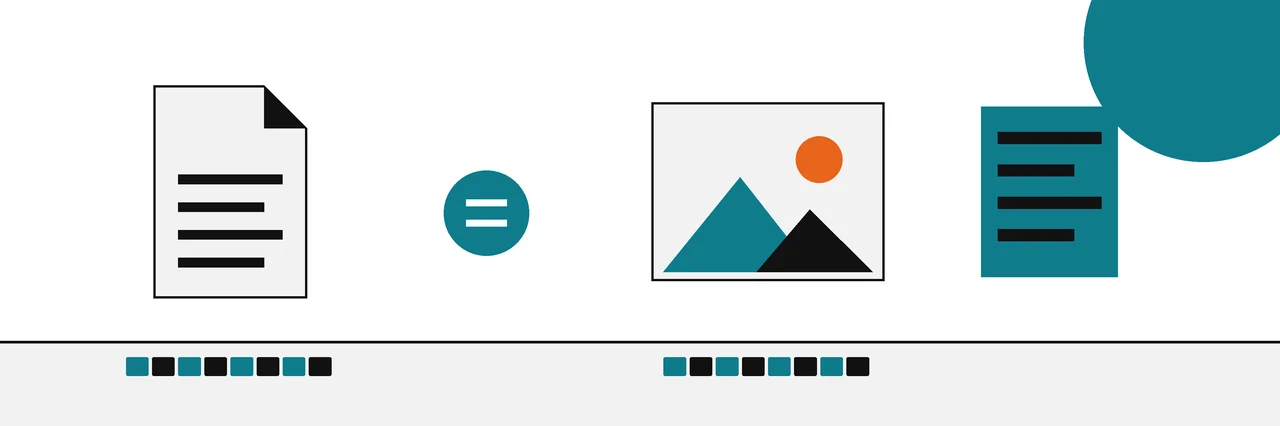
A C2PA content credential is a signed manifest attached to a file. Its hard binding is a cryptographic hash of the file's bytes, the same kind of SHA-256 a checksum uses, and a signature shows who issued the manifest. If the file changes, the hash no longer matches and validation fails.
A C2PA hash is the part of a content credential that ties the record to the exact bytes of an image or document. It is the same kind of SHA-256 digest that people have compared against download pages for twenty years. What changed is the question it is used to answer.
This article traces that move from file integrity to content integrity, one layer at a time. It is part of our guides to verifying content, and it assumes only that you have compared a checksum before. If you have not, what a checksum is and what it proves covers the basics in a few minutes.
The old question: is this the file they released?
For most of the history of downloads, verification meant one thing. A publisher listed a hash next to the installer, you computed the hash of your copy, and you compared the two strings. Tools that added a "File Hashes" tab to the properties window made this a two-click habit for a generation of Windows and Mac users.
The mathematics behind it is the Secure Hash Standard. NIST describes its hash algorithms as producing digests that "are used to detect whether messages have been changed since the digests were generated" (NIST FIPS 180-4). Change one bit of the file and SHA-256 gives an unrelated result.
That answers one question well: are these the same bytes? It says nothing about who produced them. If an attacker controls the download page, they can swap both the file and the published hash. That gap is why signed checksum files exist, and why a hash and a digital signature prove different things.
The new question: who or what made this?
Images, video, audio and documents now raise a different doubt. Nobody published a reference hash for the photo in your feed. What you want to know is where it came from, which tools touched it, and whether anyone altered it on the way.
Content credentials, defined by the Coalition for Content Provenance and Authenticity (C2PA), answer that by attaching a signed record, called a manifest, to the file itself. The manifest holds statements called assertions: the tool that created the file, the actions applied to it, earlier files it was built from, and a binding to the content. The binding is the part a checksum user already understands.
Inside a content credential: the hash binding
The C2PA specification defines a hard binding as "one or more cryptographic hashes" that uniquely identify the entire asset or a portion of it (C2PA 2.5, hard bindings). A manifest may contain only one hard binding. The allowed algorithms are SHA2-256, SHA2-384 and SHA2-512; the SHA-3 family is not on the list, and the deprecated list is empty.
There is one wrinkle. The manifest is stored inside the file, so hashing the whole file would include the manifest and create a circular dependency. The specification solves this with exclusion ranges: the hash covers every byte except the range that holds the manifest. In a JPEG, that range is the APP11 segments where the manifest lives.
We checked this on the sample image C.jpg from the c2patool repository, using c2patool 0.28.4 on Ubuntu 22.04. The detailed report (c2patool C.jpg -d) shows the data hash assertion, excerpted here:
        "c2pa.hash.data": {
          "exclusions": [
            {
              "start": 20,
              "length": 51179
            }
          ],
          "name": "jumbf manifest",
          "alg": "sha256",
          "hash": "DcGR4k9M6aLXXCeDii4tSdX45rrIM5HSr1Wy/czQ6ro=",
          "pad": "AAAAAAAAAAAA"
        },
The hash is a SHA-256 digest written in Base64. To confirm it is an ordinary SHA-256, we rebuilt it with standard tools: keep the first 20 bytes, skip the 51,179 excluded bytes, keep the rest, and hash the result.
(head -c 20 C.jpg; tail -c +51200 C.jpg) | openssl dgst -sha256 -binary | base64
DcGR4k9M6aLXXCeDii4tSdX45rrIM5HSr1Wy/czQ6ro=
It matches the manifest exactly. For comparison, a plain checksum of the whole file gives a different value, because it includes the manifest bytes:
sha256sum C.jpg
5f57bc22ad54aab1228874e831a6feb5514e5875307945c4e4b11aae6c53e8b7 C.jpg
So the C2PA hash is a checksum of the content with the credential cut out. Same algorithm, same avalanche behaviour, a slightly different set of bytes.
What happens when one byte changes
We then flipped a single bit near the end of the image data, outside the excluded range, and read the file again. The validation status changed from a passing data hash to this (excerpt of c2patool C-edited.jpg):
    "code": "assertion.dataHash.mismatch",
    "explanation": "asset hash error, name: jumbf manifest, error: hash verification( Hashes do not match )"
The overall validation_state went from Valid to Invalid. That is the content version of a checksum mismatch: the record still names its signer, but it no longer describes this file.
The signature on top
A hash on its own would have the old download-page problem: anyone could recompute it after an edit. So the manifest does more. Each assertion, including the hash binding, is referenced by its own hash inside a structure called the claim, and the claim is digitally signed with the signer's certificate.
The specification turns that into three states for a manifest (C2PA 2.5, validation states):
- Well-formed: the manifest follows the specification's structural rules.
- Valid: well-formed, unmodified since signing, and the claim signature validates.
- Trusted: valid, and the signing certificate chains to a trust list the validator uses.
An asset is valid only if the content covered by its bindings is unmodified and its active manifest is valid or trusted. The sample image above shows why the distinction matters: its signature validated and its data hash matched, but it was signed with a test certificate, so the tool reported signingCredential.untrusted. Valid, and not trusted. To see each of these fields in your own files, follow the c2patool walkthrough for reading a manifest.
How the layers rank as evidence
Put together, a content credential stacks the old checks into one record. In order of strength:
- Signature over the claim, trusted signer: the record is unchanged and came from a known key. It cannot tell you the signer was honest.
- Hard binding (SHA-256 of the content): the pixels or bytes are exactly the ones the signer described. It cannot survive any re-encode, resize or crop without a new manifest.
- Assertions such as actions and ingredients: what the signing tool says happened. Only as reliable as that tool.
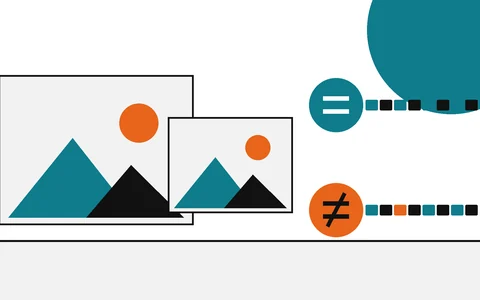
- Soft bindings (fingerprints, invisible watermarks): a way to find a matching manifest when the file has been altered or stripped. A match by resemblance, explained in perceptual hash vs SHA-256.
Anything outside the credential, such as ordinary metadata or a detector score, ranks below all four.
Check the binding on your own files
You can repeat both halves of this experiment on any image that carries a credential. The steps are the same ones a checksum user already knows, with one extra tool.
- Keep an untouched copy. Work on a duplicate, because some editors rewrite or drop the manifest when they save.
- Read the credential. Run
c2patool yourfile.jpg --info. A line reading "One manifest" with noassertion.dataHash.mismatchunder the validation issues means the content hash matched. - Read the hash itself. Run
c2patool yourfile.jpg -dand findc2pa.hash.data. Note thealg, thehashand theexclusions. - Hash the whole file as well. Run
sha256sum yourfile.jpgon Linux,shasum -a 256 yourfile.jpgon a Mac, orGet-FileHash .\yourfile.jpgin PowerShell. Keep that value with the file, so you can later show that your copy did not change.
If step 2 reports a mismatch, the credential no longer describes the file you hold. Look for an earlier copy before drawing any conclusion about who changed what.
What C2PA does not prove
A content credential is a statement of origin and history, signed by someone. The C2PA explainer is direct about the limit: provenance information alone "cannot tell you whether the digital content is true, accurate or factual" (C2PA Explainer 2.2).
It also cannot speak for files that lack it. Re-saving an image in a program that ignores C2PA, taking a screenshot, or uploading to a site that strips metadata will remove the credential or break its binding. A missing credential is the normal state of most files today, and it proves nothing about how a file was made.
What it does well is the thing checksums always did, extended to content: if a credential validates, the bytes are the ones described, and you know whose key described them. That is the strongest evidence most images will ever carry, and it is worth checking before anything weaker.
Sources
Questions
Is the hash in a content credential the same as the file's SHA-256 checksum?+
Usually not, because the manifest itself sits inside the file. The C2PA data hash covers every byte except the byte range that holds the manifest, so it differs from a plain sha256sum of the whole file while using the same algorithm.
Which hash algorithms does C2PA allow?+
SHA2-256, SHA2-384 and SHA2-512, per specification 2.5. The SHA-3 family is not on the allowed list, and the deprecated list is currently empty.
Does a valid content credential prove a photo is real?+
No. It proves the file is unchanged since the manifest was signed and identifies the signing credential. The C2PA explainer says provenance alone cannot tell you whether content is true, accurate or factual.
What happens to the credential if I resize or re-save the image?+
The hard binding stops matching, because the bytes changed. A well-behaved editor writes a new manifest that lists the old one as an ingredient; anything else leaves a broken or missing credential.
Can I check a content credential without installing anything?+
Yes. A browser-based verify tool reads the same manifest. The command-line tool c2patool shows more detail, including the raw hash binding.
Related reading
- How-to

Read a C2PA manifest
Open the record and read each claim it makes
- Explainer
Hash vs digital signature
Integrity of the file versus who stands behind it
- Explainer
Perceptual hash vs SHA-256
Near matches versus exact matches
- Explainer
AI watermarks vs hashes
What each one can show, and what it cannot