HashTab alternatives: file hash checkers for Windows, Mac and Linux, compared
OpenHashTab is the closest HashTab replacement on Windows: it adds hashing to a file's Properties window and its documentation lists 28 algorithms on Windows 7 or later. HashCheck suits checksum files, 7-Zip works if already installed, and Get-FileHash, shasum -a 256 and sha256sum need no install at all.
OpenHashTab is the closest HashTab replacement for most Windows users: like HashTab, it adds hashing to a file's Properties window, and its documentation lists support for 28 algorithms on Windows 7 or later.
HashTab itself is discontinued, and our page on what HashTab was and what happened to it covers its history. This page compares the tools people use in its place on Windows, Mac and Linux, including the commands that are already on your computer.
Short answer
OpenHashTab is the best HashTab replacement on Windows, because it restores the same Properties tab. Pick HashCheck Shell Extension if you mostly verify files against .sha256 or .md5 lists. Use 7-Zip's right-click CRC SHA menu if 7-Zip is already installed. On a Mac, shasum -a 256 in Terminal is built in, and a Quick Action can put it on the right-click menu. On Linux, sha256sum is built in and GtkHash adds a tab to most desktop file managers. QuickHash GUI is the one graphical app here with Windows, Linux and macOS builds. If you cannot install anything, PowerShell's Get-FileHash does the job on Windows 10 and 11.
Decision table
| Rank | Tool | Systems | Price | Algorithms | Verdict | Best for | Main limitation |
|---|---|---|---|---|---|---|---|
| 1 |  OpenHashTab OpenHashTab | Windows 7 or later (x86, x64, ARM64) | Free, open source (GPL-3.0) | 28, including MD5, SHA-1, SHA-2, SHA-3, BLAKE3, CRC32 and xxHash3 | Closest like-for-like HashTab replacement | Windows users who want the Properties tab back | Windows only |
| 2 |  HashCheck Shell Extension (maintained fork) HashCheck Shell Extension (maintained fork) | Windows Vista and later | Free, open source (3-clause BSD) | 10: CRC32, MD5, SHA-1, SHA-256, SHA-512, SHA3-256, SHA3-512, BLAKE3, XXH3, XXH128 | Best for creating and checking checksum files in Explorer | Verifying many files against one checksum list | Windows only; fewer algorithms than OpenHashTab |
| 3 |  7-Zip 7-Zip | Windows 11, 10, 8, 7, Vista, XP and server editions | Free, open source (mostly GNU LGPL) | CRC-32, CRC-64, SHA-1, SHA-256, XXH64, BLAKE2sp; SHA-384, SHA-512, SHA3-256 and MD5 from 24.09 | Good enough if it is already installed | People who already use 7-Zip | A right-click menu rather than a Properties tab |
| 4 |  GtkHash GtkHash | Linux desktops with GTK 3 | Free, open source (GPL-2.0 or later) | MD5, SHA1, SHA2, SHA3, BLAKE2 and others | Closest tab-style option on Linux | GNOME, MATE, Cinnamon and Xfce users | Last tagged release is v1.5 from September 2022 |
| 5 |  QuickHash GUI QuickHash GUI | Windows, Linux, macOS | Free, open source (GPL-2.0) | MD5, SHA-1, SHA-256, SHA-512, xxHash, SHA3-256, BLAKE2b-256 | Best cross-platform app for folders and disks | Hashing whole folders, disks and comparing two folders | Latest release v3.3.4 is from 2023; Mac build may not run on the newest macOS |
| 6 |  Get-FileHash (PowerShell) Get-FileHash (PowerShell) | Windows 10 and 11 built in; PowerShell 7 on macOS and Linux | Free, built in | SHA1, SHA256, SHA384, SHA512, MD5 (Windows PowerShell 5.1 adds MACTripleDES and RIPEMD160) | Best option when you cannot install software on Windows | Locked-down PCs and scripts | Command line only |
| 7 |  shasum shasum | macOS built in; Linux systems that ship Perl | Free, built in | SHA-1, SHA-224, SHA-256, SHA-384, SHA-512, SHA-512/224, SHA-512/256 | Best built-in option on a Mac | Mac users comfortable in Terminal | Defaults to SHA-1 unless you add -a 256 |
| 8 |  sha256sum (GNU coreutils) sha256sum (GNU coreutils) | Linux built in | Free, built in | SHA-256; sha224sum, sha384sum, sha512sum, md5sum and sha1sum alongside | The standard on Linux | Checking SHA256SUMS files with -c | Terminal only |
The tools, one by one
Each block uses the same fields as the table. Version numbers and dates come from each project's own releases page.
1. OpenHashTab
- Systems: Windows 7 or later, on x86, x64 and ARM64.
- Price: free and open source under GPL-3.0.
- Algorithms: 28, from CRC32, CRC64 and MD5 through SHA-2, SHA-3, BLAKE3, KangarooTwelve and Streebog.
- Verdict: the closest like-for-like HashTab replacement.
- Best for: anyone who misses right-click, Properties, hashes.
- Main limitation: Windows only.
The OpenHashTab README describes "a shell extension for conveniently calculating and checking file hashes from file properties". It can check files against a sumfile, export hashes in sum-file format and copy a hash with a double click. OpenHashTab 3.1.1, released on 2025-07-03, is the latest release on its GitHub page.
2. HashCheck Shell Extension (maintained fork)
- Systems: Windows Vista and later.
- Price: free and open source under the 3-clause BSD licence.
- Algorithms: 10 hash types: CRC32, MD5, SHA-1, SHA-256, SHA-512, SHA3-256, SHA3-512, BLAKE3, XXH3 and XXH128.
- Verdict: the best tool for creating and checking checksum files from Explorer.
- Best for: verifying a folder of files against one
.sha256list. - Main limitation: Windows only, with fewer algorithms than OpenHashTab.
The HashCheck fork's README says you open a checksum file in Explorer to verify every file it lists, with mismatches highlighted in red. It also hashes from the Properties tab and offers a command-line launcher for scripted checksum creation. It installs with winget install --id idrassi.HashCheckShellExtension --exact. HashCheck v2.6.3 was released on 2026-10-07.
3. 7-Zip
- Systems: Windows 11, 10, 8, 7, Vista and XP, plus Windows Server editions.
- Price: free and open source; most of the code is under the GNU LGPL.
- Algorithms: CRC-32, CRC-64, SHA-1, SHA-256, XXH64 and BLAKE2sp, with SHA-384, SHA-512, SHA3-256 and MD5 added in version 24.09.
- Verdict: good enough if it is already installed.
- Best for: people who already use 7-Zip for archives.
- Main limitation: results come from a right-click menu rather than a Properties tab.
According to the 7-Zip history file, version 21.04 beta (2021-11-02) added the menu commands 7-Zip / CRC SHA / SHA-256 -> file.sha256 and Test Archive : Checksum, in a format compatible with sha256sum. 7-Zip 26.05, dated 2026-10-21, is the current version on its home page.
4. GtkHash
- Systems: Linux desktops with GTK 3.
- Price: free and open source under GPL-2.0 or later.
- Algorithms: MD5, SHA1, SHA2, SHA3 and BLAKE2, among others.
- Verdict: the closest tab-style option on Linux.
- Best for: GNOME, MATE, Cinnamon and Xfce users.
- Main limitation: the last tagged release is v1.5, from 2022-09-21.
GtkHash's README describes file manager extensions that add Checksums to file properties in Caja, Nautilus (GNOME Files), Nemo and Thunar, and notes that the Nautilus extension has only basic features. It also verifies sfv and sha256sum-style checksum files. The repository itself was still being updated in October 2026.
5. QuickHash GUI
- Systems: Windows, Linux and macOS.
- Price: free and open source under GPL-2.0.
- Algorithms: MD5, SHA-1, SHA-256, SHA-512, xxHash, SHA3-256 and BLAKE2b-256.
- Verdict: the best cross-platform app for folders and disks.
- Best for: hashing whole folders or disks and comparing two folders.
- Main limitation: the latest release is from 2023, and the Mac build may not run on the newest macOS.
QuickHash GUI v3.3.4 was released on 2023-11-01 for Windows, Linux and macOS. A note added to that release on 2026-10-25 says the project website was taken offline, that downloads now come from GitHub, and that the Apple Mac version "may or may not work" on the latest macOS.
6. Get-FileHash (PowerShell)
- Systems: built into Windows 10 and 11 through Windows PowerShell 5.1; also available in PowerShell 7 on macOS and Linux, where the PowerShell 7 reference accepts SHA1, SHA256, SHA384, SHA512 and MD5.
- Price: free, built in.
- Algorithms: SHA1, SHA256, SHA384, SHA512 and MD5; Windows PowerShell 5.1 also accepts MACTripleDES and RIPEMD160.
- Verdict: the best option when you cannot install software on Windows.
- Best for: locked-down work PCs and scripts.
- Main limitation: command line only.
Microsoft's reference for Get-FileHash says the default algorithm is SHA256, and that MD5 and SHA1 should only be used for simple change validation. Command Prompt has certutil -hashfile file.iso SHA256 as a second built-in route, with MD2, MD4, MD5, SHA1, SHA256, SHA384 and SHA512 listed in Microsoft's certutil reference. Our step-by-step Windows hash guide covers both.
7. shasum (macOS Terminal)
- Systems: built into macOS; also present on Linux systems that ship Perl.
- Price: free, built in.
- Algorithms: SHA-1, SHA-224, SHA-256, SHA-384, SHA-512, SHA-512/224 and SHA-512/256.
- Verdict: the best built-in option on a Mac.
- Best for: Mac users comfortable in Terminal.
- Main limitation: defaults to SHA-1 unless you add
-a 256.
shasum is a Perl script whose documentation lists 1 (default) for the algorithm option, which is why shasum -a 256 file.iso is the command to remember. It also checks a list of sums with -c. For MD5, macOS has a separate md5 command. Our Mac guide to shasum, md5 and a Finder Quick Action shows how to put it on the right-click menu.
8. sha256sum (GNU coreutils)
- Systems: built into almost every Linux distribution.
- Price: free, built in.
- Algorithms: SHA-256, with sha224sum, sha384sum, sha512sum, md5sum and sha1sum alongside.
- Verdict: the standard on Linux.
- Best for: checking SHA256SUMS files with
sha256sum -c. - Main limitation: terminal only.
The GNU coreutils manual groups sha224sum, sha256sum, sha384sum and sha512sum as the sha2 utilities. sha256sum -c SHA256SUMS hashes every file listed and prints OK or FAILED for each, which makes it the fastest way to check a full Linux release.
Method: how we compared
The facts in this comparison come from each tool's own documentation as of 2026-10-30: the project README or user manual, its official releases page and changelog, and, for the built-in commands, Microsoft's, Perl's and GNU's reference pages. The price and licence fields quote each project's stated licence. Release numbers and dates come from each project's releases page or home page on that date.
The ranking reflects how closely each tool replaces what HashTab did: show a file's hash from the file manager and compare it with a published value. Tools that add a Properties tab rank above menu-based tools, which rank above terminal commands. Ties are broken by the number of documented algorithms and by how recently the project shipped a release.
The method has known weaknesses. Documentation can trail the software, so a feature added in a recent build may not appear in a README yet. Algorithm counts are as each project states them, and projects count variants differently: OpenHashTab counts the 256-bit and 512-bit forms of BLAKE3 separately, for example.
One caveat
A matching hash proves a file is unchanged; it says nothing about whether the publisher can be trusted.
Every tool on this page answers the same narrow question: is this file byte for byte the one that value describes? If a hash does not match what the publisher lists, the usual causes are a wrong algorithm, a different file version or an incomplete download, and the fix is the same whichever tool you used.
Sources
Questions
What is the best free alternative to HashTab?+
On Windows, OpenHashTab: it is free, open source under GPL-3.0, and puts hashes back in the file Properties window the way HashTab did. On a Mac or Linux, the built-in shasum and sha256sum commands are the usual answer.
Is there a HashTab alternative for Mac?+
Yes, shasum -a 256 in Terminal is built into macOS. For a right-click option, an Automator Quick Action can run the same command, and QuickHash GUI offers a Mac build, though its developer warns it may not work on the latest macOS.
Does Windows have a built-in hash checker?+
Yes. PowerShell's Get-FileHash computes SHA256 by default, and certutil -hashfile works from Command Prompt; both ship with Windows 10 and 11.
Which HashTab alternative supports the most algorithms?+
OpenHashTab, whose README lists support for 28 algorithms, from CRC32 and MD5 to SHA-3, BLAKE3 and Streebog.
Can these tools check a whole SHA256SUMS or .sha256 file?+
Most can. HashCheck verifies a checksum file when you open it, OpenHashTab checks against sumfiles, 7-Zip tests .sha256 files from its menu, and sha256sum -c and shasum -a 256 -c do it in a terminal.
Is OpenHashTab made by the same people as HashTab?+
No. OpenHashTab is a separate open-source project on GitHub with its own developer and licence; it only shares the idea of a hash tab in file properties.
Is 7-Zip enough to check a file's hash?+
For SHA-256, yes, if you already have it: since version 21.04 beta its CRC SHA menu creates and tests sha256sum-style files, and MD5 joined the list in version 24.09.
What should I use on Linux?+
sha256sum, which ships with GNU coreutils on almost every distribution. If you want a tab in your file manager, GtkHash adds one to Nautilus, Nemo, Caja and Thunar.
Do I need a graphical tool at all?+
Not usually. One terminal command does the same job on every system, and a GUI mainly helps if you compare hashes often or dislike the command line.
Are the MD5 values these tools show still useful?+
For spotting accidental corruption, yes. For anything where tampering is a concern, compare SHA-256 instead, because practical MD5 collisions exist.
Related reading
- History
What happened to HashTab
Start here: what it did, and what replaces it
- How-to
Check a hash on Windows
Commands that ship with the system, nothing to install
- How-to
Check a hash on a Mac
One line in Terminal, already on every Mac
- How-to
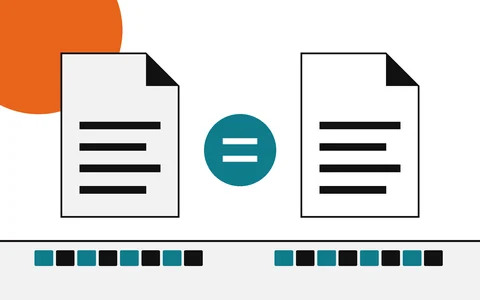
How to verify a download
Start here: find the hash, compute yours, compare
- Explainer
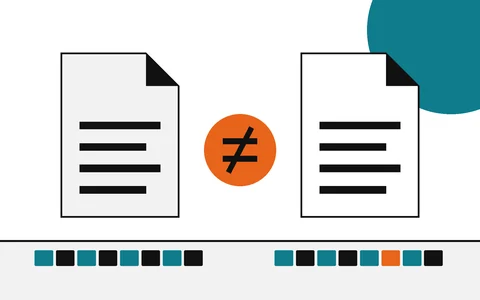
Checksum mismatch
What a different hash means, and what to do next