Verify content: files, images, documents and text
Check the strongest evidence first. A valid digital signature or content credential shows who made or edited a file and that it has not changed since. Metadata and watermarks are weaker hints that can be stripped or faked. Detector scores are estimates with known error rates and should never be the only evidence.
Where to start
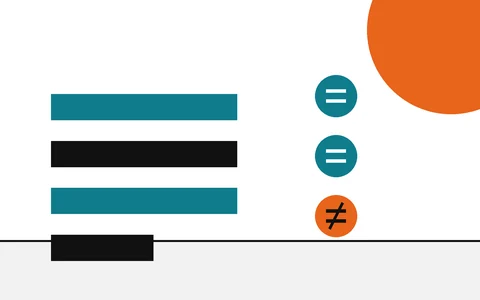
Three steps, in order. Each one is stronger than the one after it.
- Check content credentials
Look for a signature or credential
A signed record proves who stands behind the file and whether it changed. If it is there, most of your work is done.
- Check image metadata
Check the metadata
Camera, app and date fields are claims, not proof, but missing or contradictory ones tell you where to look.
- The verification checklist
Only then weigh a detector score
A score is an estimate. Read it last, and never on its own.
All twelve guides
Grouped the way the menu groups them. Each guide ends with what the result means and where the evidence sits on the ladder.
To verify content is to check that an image, a document or a piece of text is what it claims to be: who made it, what changed it, and whether it is the same file that left their hands. For downloads, a checksum answered that question. For content, the answer comes in layers, and some layers are far stronger than others.
These guides put the checks in order of strength. Start with the evidence that can be checked with mathematics, a signature or a hash, and move down to the hints only when the stronger evidence is missing. If you came here from a file download, the checksum guides cover the same idea for installers, ISO images and archives.
Every guide on this site ranks its checks the same way. Each rung says what it can prove and what it cannot.
Provenance
4 guides- Explainer
From checksums to content credentials
Start here: the fingerprint that links files and photos
- How-to
Read a C2PA manifest
Open the record and read each claim it makes
- How-to
Check content credentials
See who signed a file and what changed since
- Explainer
AI watermarks vs hashes
What each one can show, and what it cannot
Images and documents
4 guides- Explainer
Is this image AI-generated?
A checklist that runs from strong evidence to weak
- How-to
Check image metadata
Read what the camera wrote, and how easily it changes
- Explainer
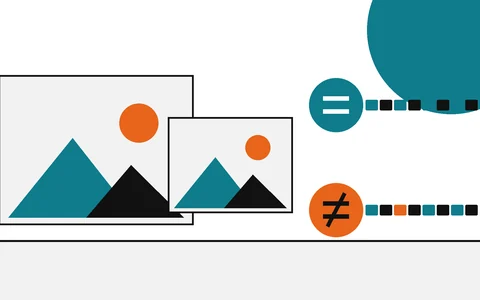
Perceptual hash vs SHA-256
Near matches versus exact matches
- How-to
Verify a PDF or screenshot
Signatures, metadata and what a screenshot loses
Text, drafts and models
4 guides- Explainer
Is this text AI-generated?
Why a detector score is the weakest evidence
- How-to
Hash and timestamp your drafts
Keep a dated record that you wrote it
- How-to
Trusted timestamps
How a third party vouches for when a file existed
- How-to
Verify an AI model download
Check model files against the published digest
Questions
Each answer starts with the answer.
What is the strongest evidence that an image or document is genuine?+
A valid cryptographic signature over a hash of the file. A signed PDF or a content credential with an intact hash binding shows that the bytes are unchanged since signing and names the key that signed them. It does not show that what the file depicts is true.
If a file has no content credentials, is it fake?+
No. Most files in circulation carry no credentials, and many websites and messaging apps remove them on upload. A missing credential sends you to the next check; it tells you nothing about how the file was made.
Can an AI detector settle whether something was AI-made?+
It cannot. A detector returns an estimate learned from training examples, and every one has false positives and false negatives. Treat its score as a reason to look for stronger evidence, never as the verdict.
Do I need the command line for any of this?+
Only for the deeper checks. Content credentials can be read in a browser, and image metadata in the file properties window. The command-line tools (c2patool, ExifTool, sha256sum) show more detail and let you keep a copy of exactly what you saw.
Related reading
- Explainer
From checksums to content credentials
Start here: the fingerprint that links files and photos
- How-to
Read a C2PA manifest
Open the record and read each claim it makes
- How-to
Check content credentials
See who signed a file and what changed since
- Explainer
Is this image AI-generated?
A checklist that runs from strong evidence to weak
- Explainer
Is this text AI-generated?
Why a detector score is the weakest evidence
- How-to
Hash and timestamp your drafts
Keep a dated record that you wrote it