Perceptual hash vs SHA-256: matching images that are not byte-identical
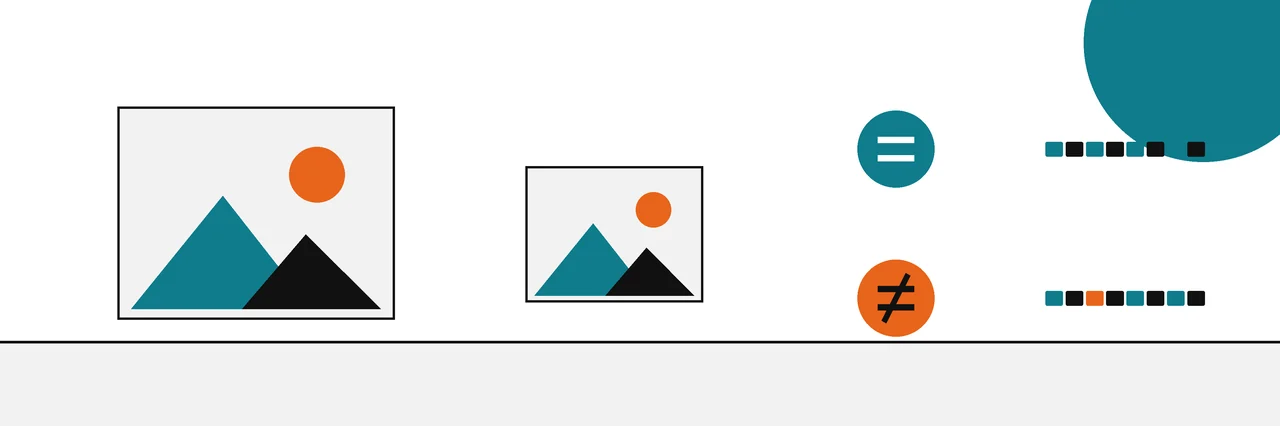
A perceptual hash is a short fingerprint of what an image looks like, so a resized or recompressed copy gets the same or a very close hash. SHA-256 fingerprints the exact bytes, so any change gives a completely different value. Use SHA-256 to prove a file is identical and a perceptual hash to find near-copies.
A perceptual hash and SHA-256 both turn an image into a short string, but they answer opposite questions. SHA-256 asks whether two files are byte for byte identical. A perceptual hash asks whether two images look the same, even if one has been resized, recompressed or converted to another format.
That difference explains a common surprise: a photo you know is "the same" fails a checksum comparison. This page, part of our guides to verifying images, documents and text, shows why with real hashes from a test run, and when to reach for each kind of hash.
Why SHA-256 changes on a resized photo
SHA-256 is a cryptographic hash from the Secure Hash Standard. NIST describes the standard's digests as a way "to detect whether messages have been changed since the digests were generated" (NIST FIPS 180-4). It is built so that changing even one bit of the input produces an output with no visible relation to the old one.
That property is ideal for downloads, and it is why SHA-256 is the default in the hash algorithms worth trusting today. For images, it means any edit at all breaks the match: a resize, a re-save at a different JPEG quality, even a format change from PNG to JPEG with no visible difference.
We made three copies of one 640 by 480 test image (ImageMagick's built-in sample) on Ubuntu 22.04: the original PNG, a copy resized to 50 percent, and a JPEG at quality 75. We also made an unrelated image of the same size for contrast.
convert logo: photo.png
convert photo.png -resize 50% photo-small.png
convert photo.png -quality 75 photo.jpg
convert -size 640x480 -seed 7 plasma: other.png
sha256sum photo.png photo-small.png photo.jpg other.png
977b79b02a82829f144a21837ca2f93f0596be94c5cb3086acef6f76a807c4ea  photo.png
199f026f319c52bfe11c2bf1d51beb2e8cb3d409baf197039ede54c5392cfe0a  photo-small.png
d018f8d6da1984fc21f4cc72dbed7d44a499c80841ba879ad2f45063476358a7  photo.jpg
5fe732353a4f3b136db1a48decd12e142f7e9563cf2d40ebe37d0b05fd24a0d9  other.png
Four unrelated values. By SHA-256, the resized copy of the photo is as different from the original as the unrelated image is.
How a perceptual hash works
A perceptual hash throws away the details a person would not notice and keeps the overall structure. A typical DCT-based hash works in four steps:
- Shrink the image to a small square and convert it to greyscale, so size and colour stop mattering.
- Run a discrete cosine transform (DCT), which separates broad shapes (low frequencies) from fine detail (high frequencies).
- Keep only the lowest frequencies, the coarse layout of light and dark.
- Write one bit per kept value: 1 if it is above the median, 0 if not.
The result describes the image's layout in a few dozen bits. Resizing and mild recompression barely move the low frequencies, so the bits barely change.
Meta's PDQ is a published, larger version of the same idea. Its reference documentation describes it as a perceptual hasher that "tries to match images which people perceive as similar", built on a discrete cosine transform, with a quality metric to filter out featureless images (PDQ README). Meta's write-up adds that PDQ hashes are 256 bits, compared by Hamming distance, with a 0 to 100 quality score (Meta hashing write-up).
Comparing two perceptual hashes
Perceptual hashes are compared by Hamming distance: the number of bit positions where two hashes differ. Zero means identical hashes. Small numbers mean similar images. Large numbers mean different images.
We hashed the same files with the Python ImageHash library (version 4.3.2), whose phash function produces a 64-bit DCT hash, shown as 16 hexadecimal characters:
import imagehash
from PIL import Image

files = ["photo.png", "photo-small.png", "photo.jpg", "other.png"]
hashes = {f: imagehash.phash(Image.open(f)) for f in files}
for f in files:
    print(f, hashes[f])
for f in files[1:]:
    print("distance photo.png vs", f, hashes["photo.png"] - hashes[f])
photo.png ed91d892b26d8c4d
photo-small.png ed91d892b26d8c4d
photo.jpg ed91d892b26d8c4d
other.png 96cbe1b07c9505e6
distance photo.png vs photo-small.png 0
distance photo.png vs photo.jpg 0
distance photo.png vs other.png 34
The resized copy and the JPEG got exactly the same perceptual hash as the original, a distance of 0 out of 64 bits. The unrelated image was 34 bits away. Where SHA-256 saw four different files, the perceptual hash saw one picture and one stranger.
Where it starts to fail
We repeated the test with two harder edits. A centre crop keeping 70 percent of the width and height moved the hash 22 bits from the original. A mirror image moved it 32 bits, close to the unrelated image's 34. Meta's write-up warns about the first case directly: PDQ "does not do well at pairing photos one of which is a crop of another", and it is designed for lightly modified images, not deliberate evasion.
Method
The hashes on this page come from one run on Ubuntu 22.04 on 2026-10-30: sha256sum for the byte hashes and the ImageHash library, version 4.3.2, for the perceptual hashes. The set was an original image, a resized copy, a JPEG re-save, a centre crop keeping 70 percent of the frame, a mirror image and an unrelated image. It is one small set, so the distances show how the two kinds of hash behave rather than how often they agree across all photos.
When to use which
| Question | Use | Why |
|---|---|---|
| Is this the exact file the publisher released? | SHA-256 | Any difference at all should fail |
| Has this image changed since it was signed? | SHA-256 inside a content credential | The hard binding must match exactly |
| Is this photo a resized or re-saved copy of that one? | Perceptual hash | Survives resizing, format changes, light compression |
| Have I seen this image before, in a large collection? | Perceptual hash | Near-duplicates land within a small distance |
| Is this image a crop or a heavy edit of another? | Neither alone | Perceptual hashes drift; use reverse image search and judgement |
Content credentials use both. The C2PA specification requires a hard binding, a cryptographic hash such as SHA-256, and allows soft bindings, which it defines as a fingerprint or invisible watermark that lets content "be matched even if the underlying bits differ" (C2PA 2.5, soft bindings). The hash proves integrity. The fingerprint helps find a manifest again after the file has been altered or stripped. How content credentials build on a plain checksum covers the hard binding in detail.
Try it on your own images
You need two copies of a picture, for example a photo and the version a chat app sent back to you.
- Compute SHA-256 for both:
sha256sumon Linux,shasum -a 256on a Mac, orGet-FileHashin PowerShell. Expect different values unless the files are byte for byte identical. - Install a perceptual hashing library, such as ImageHash for Python, and hash both files with the same function.
- Subtract one hash from the other to get the Hamming distance. A distance of a few bits out of 64 suggests the same picture; a distance in the thirties suggests different pictures.
Write down the tool, its version and the distance you found, since another library may give a different figure.
What each can and cannot prove
On the evidence ladder used across these guides, the two hashes sit at very different heights.
- SHA-256 match: proves two files are identical. Strong, exact evidence. Says nothing about who made either file.
- Perceptual hash match: shows two images look alike. Useful for finding copies and earlier versions. Cannot prove which came first, cannot prove either is genuine, and can be fooled by crops, mirrors and deliberate edits.
- No perceptual match: proves very little. A crop or a flip can push a true copy out of range.
Perceptual hashes also behave differently from implementation to implementation. The PDQ documentation notes that the same image can produce different PDQ hashes in different languages or image libraries, and counts an implementation as correct if, at quality 80 or above, its hashes fall within a distance of 10 of the C++ reference. Compare hashes made with the same tool.
For a different kind of soft signal, one that is written into the pixels on purpose rather than computed from them, see how AI watermarks compare with hashes and signatures.
Sources
Questions
Why does my resized photo have a different SHA-256?+
Because resizing rewrites every byte of the image data. SHA-256 is designed so that any change to the input produces an unrelated digest, which is exactly what makes it useful for proving two files are identical.
How close do two perceptual hashes need to be to count as a match?+
It depends on the algorithm and your tolerance for false matches. For Meta's 256-bit PDQ hash, the reference documentation suggests starting with a Hamming distance of 31 or less. For other algorithms, test on your own images before settling on a number.
Can a perceptual hash prove an image is authentic?+
No. It shows that two images look alike, nothing more. It cannot tell which copy came first or whether either one is genuine.
Is pHash the same as PDQ?+
No. Both are perceptual hashes built on a discrete cosine transform, but PDQ is a specific 256-bit algorithm with a quality score, published by Meta, while "pHash" usually refers to a smaller 64-bit DCT hash found in many libraries.
Does a perceptual hash work on cropped images?+
Poorly. Meta's own write-up says PDQ "does not do well" when one photo is a crop of another, and in our test a 30 percent crop moved the hash much further than resizing did.
Related reading
- Explainer

MD5, SHA-1, SHA-256 compared
Which algorithm to rely on, and for what
- Explainer

Is this image AI-generated?
A checklist that runs from strong evidence to weak
- Explainer
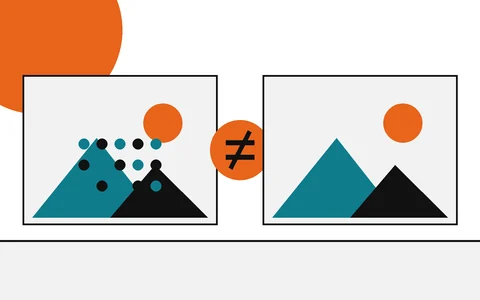
AI watermarks vs hashes
What each one can show, and what it cannot
- Explainer
From checksums to content credentials
Start here: the fingerprint that links files and photos